# Dashboard with Existing Search has bad scroll behaviour
**URL:** https://discuss.elastic.co/t/dashboard-with-existing-search-has-bad-scroll-behaviour/54699
**Category:** Kibana
**Created:** [July 5, 2016, 8:44am UTC](https://discuss.elastic.co/t/dashboard-with-existing-search-has-bad-scroll-behaviour/54699 "2016-07-05T08:44:37Z")
**Posts on this page:** 4
**Page:** 1
### Author:  [@guenther](https://discuss.elastic.co/u/guenther)
#### Post date: [July 5, 2016, 8:44am UTC](https://discuss.elastic.co/t/dashboard-with-existing-search-has-bad-scroll-behaviour/54699/1 "2016-07-05T08:44:37Z")
Hi,
I created a search in Kibana. Within the `Discovery` Tab, the scrolling is very smooth, because and when I expand on line, there is no problem.
I saved that search and used in in a Dashboard at the very bottom of all other elements, because that table can get quite big. In the old Kibana 3.1.2 this was also quite good. The Table has a size to fit all lines. When I expand a single line, the table gets bigger. In the new kibana 4.5 the table has now a limited size. When there are too many elements, the element itself begins to scroll. so i have a scrolling element and the whole window which is also scrolling -\> Very annoying.
I also tried to extend the size of that table, so that all elements fit in there -\> works as long as i extend a single line.
Is there a way, to dynamically resize that element like in kibana 3.1.2?
regards
---
### Author:  [@lukas](https://discuss.elastic.co/u/lukas)
#### Post date: [July 5, 2016, 5:57pm UTC](https://discuss.elastic.co/t/dashboard-with-existing-search-has-bad-scroll-behaviour/54699/2 "2016-07-05T17:57:08Z")
Would you mind providing screenshots of what you're experiencing? Thanks!
---
### Author:  [@guenther](https://discuss.elastic.co/u/guenther)
#### Post date: [July 6, 2016, 10:05am UTC](https://discuss.elastic.co/t/dashboard-with-existing-search-has-bad-scroll-behaviour/54699/3 "2016-07-06T10:05:31Z")
Hi, here are some screenshots from the old kibana and the new one.
As you can see, when I expand an entry in the table, the whole area resizes to fit all the elements.
The new kibana doesn't to that, here the element itself begins to scroll which results in two scroll bars: of on the whole window and one of the single element.
Old Kibana: works fine

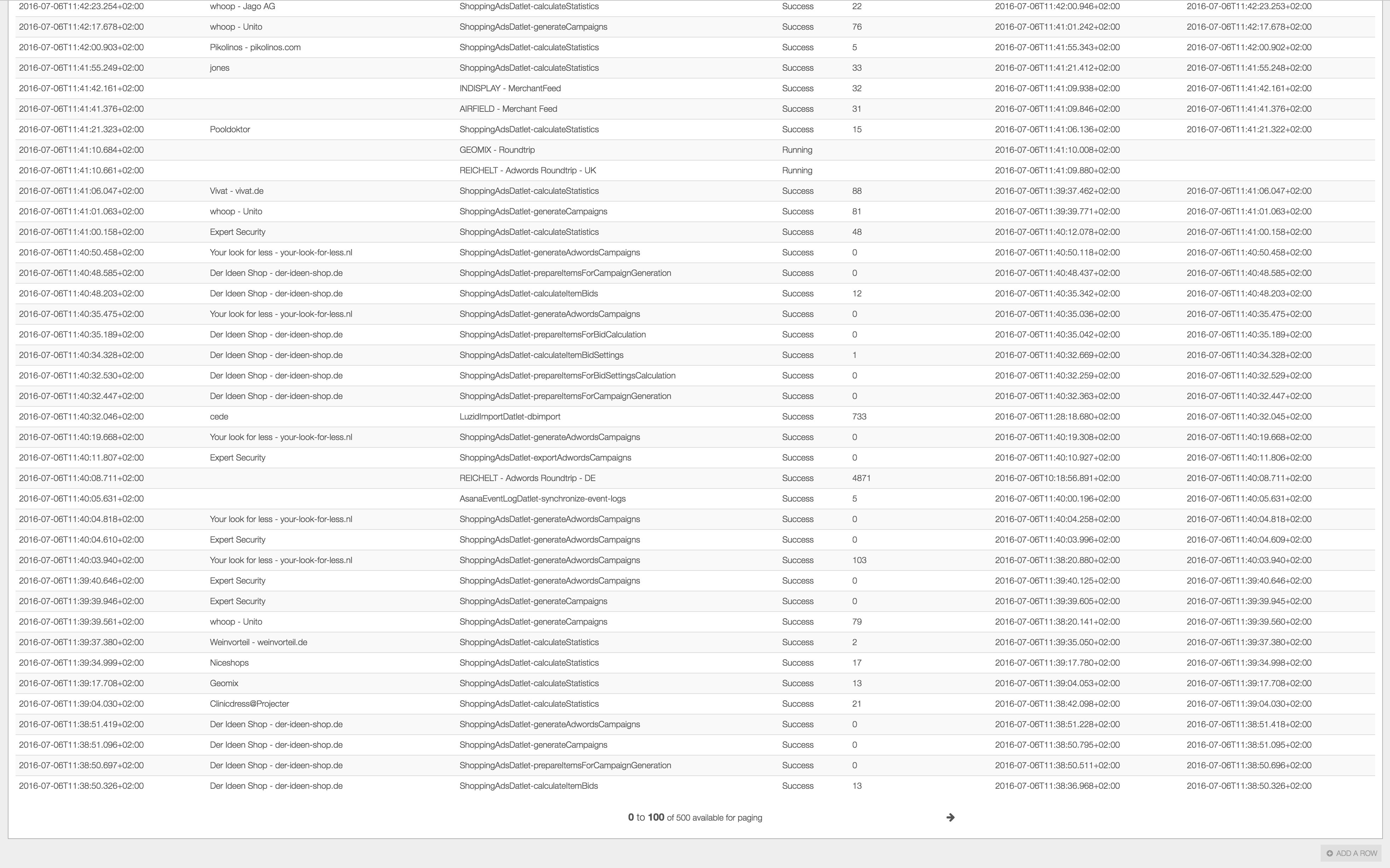

New Kibana: works not as fine


---
### Author:  [@system](https://discuss.elastic.co/u/system)
#### Post date: [July 6, 2017, 1:48pm UTC](https://discuss.elastic.co/t/dashboard-with-existing-search-has-bad-scroll-behaviour/54699/4 "2017-07-06T13:48:09Z")