# Date not visible while creating small interval buckets using Date Histogram
**URL:** https://discuss.elastic.co/t/date-not-visible-while-creating-small-interval-buckets-using-date-histogram/291428
**Category:** Kibana
**Created:** [December 10, 2021, 1:12pm UTC](https://discuss.elastic.co/t/date-not-visible-while-creating-small-interval-buckets-using-date-histogram/291428 "2021-12-10T13:12:11Z")
**Posts on this page:** 4
**Page:** 1
### Author:  [@2f404140b7ab0f69189f](https://discuss.elastic.co/u/2f404140b7ab0f69189f)
#### Post date: [December 10, 2021, 1:12pm UTC](https://discuss.elastic.co/t/date-not-visible-while-creating-small-interval-buckets-using-date-histogram/291428/1 "2021-12-10T13:12:11Z")
Hi,
I'm using Kibana 7.15.0 and while using Date Histogram in bucket aggregations, I can't see the date on the bars created when the interval is smaller than 1 hour:

For interval = 15 mins, the date is not shown on any of the bars in a bar or line chart.
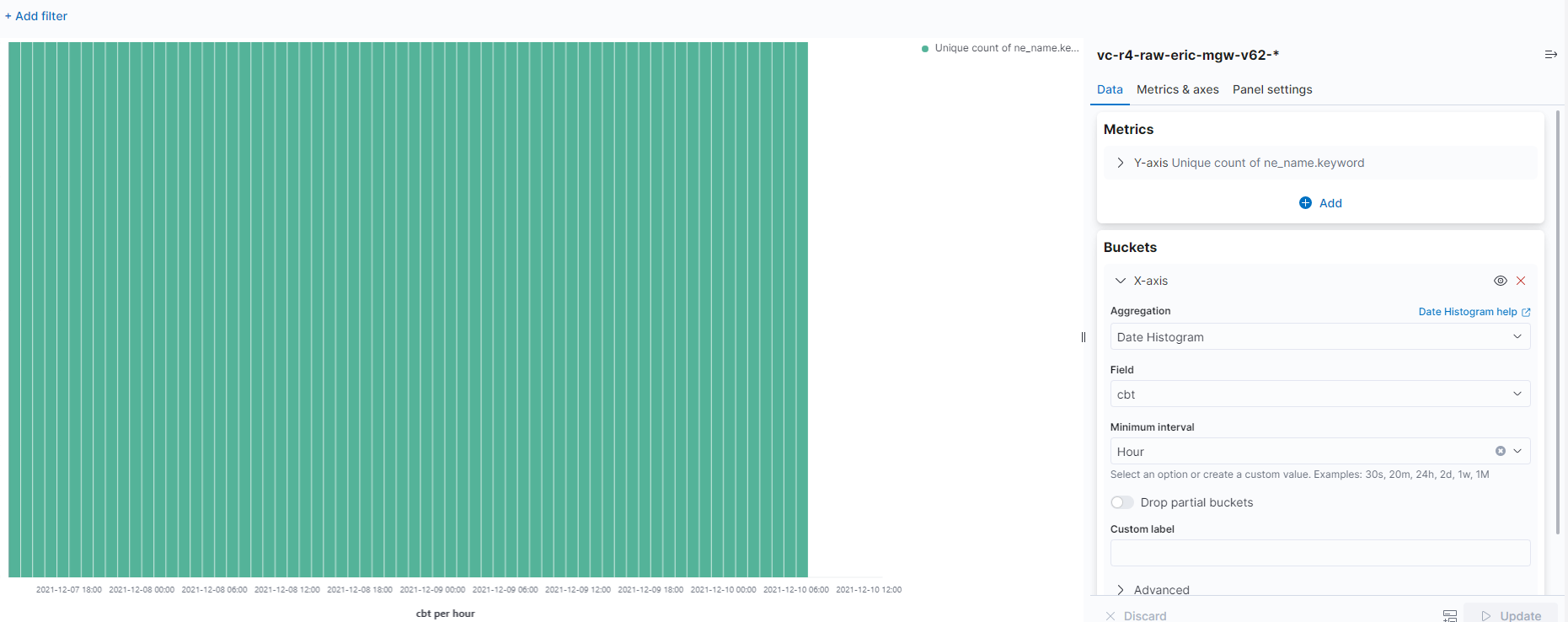
For interval = 1 hour or more, the date is shown.
Can someone give a solution or workaround please? It's important to view granular data for us.
Thanks
---
### Author:  [@ghudgins](https://discuss.elastic.co/u/ghudgins)
#### Post date: [December 10, 2021, 3:52pm UTC](https://discuss.elastic.co/t/date-not-visible-while-creating-small-interval-buckets-using-date-histogram/291428/2 "2021-12-10T15:52:48Z")
Best available way to control the visualization directly in 7.15 is to consider a custom vega visualization--this gives you precise control of how the axis is formatted. Scroll down to the X-axis on the default sample and try adding a `format` section like
```auto
x: {
...
axis: {
title: false,
format: "%Y-%m-%d %H:%M" // Customize X axis format
}
}
```
The Vega lite spec accepts a variety of [date formats from d3](https://github.com/d3/d3-time-format#locale_format)
As an aside, I wanted to mention we are overhauling the time axis across the variety of visualization editors in Kibana in 8.0 to address this issue (among others). The new time axis @ 8.0 is multi layered and always will show the full date. So you could just wait for an upgrade to solve this hopefully as another option

---
### Author:  [@2f404140b7ab0f69189f](https://discuss.elastic.co/u/2f404140b7ab0f69189f)
#### Post date: [December 20, 2021, 3:08pm UTC](https://discuss.elastic.co/t/date-not-visible-while-creating-small-interval-buckets-using-date-histogram/291428/3 "2021-12-20T15:08:49Z")
Hi,
Thanks for the reply. For our end-users, Lens or Aggregation based visualizations are better suited. We hope to see this facility in those visualizations. Is there any way or work-around for those while we wait for the version upgrade? Specifically for Lens visualizations.
Thanks
---
### Author:  [@system](https://discuss.elastic.co/u/system)
#### Post date: [January 17, 2022, 3:09pm UTC](https://discuss.elastic.co/t/date-not-visible-while-creating-small-interval-buckets-using-date-histogram/291428/4 "2022-01-17T15:09:32Z")
This topic was automatically closed 28 days after the last reply. New replies are no longer allowed.