# How can I set X-axis time domain with 24hours?
**URL:** https://discuss.elastic.co/t/how-can-i-set-x-axis-time-domain-with-24hours/221383
**Category:** Kibana
**Created:** [February 28, 2020, 8:07am UTC](https://discuss.elastic.co/t/how-can-i-set-x-axis-time-domain-with-24hours/221383 "2020-02-28T08:07:26Z")
**Posts on this page:** 6
**Page:** 1
### Author:  [@m-amano](https://discuss.elastic.co/u/m-amano)
#### Post date: [February 28, 2020, 8:07am UTC](https://discuss.elastic.co/t/how-can-i-set-x-axis-time-domain-with-24hours/221383/1 "2020-02-28T08:07:27Z")
I want to make my vega-light graph x-axis starts from 0:00 to 24:00 below.

I was trying to add a code like this, but it doesn't work successfully.
Is there any tips?
```auto
"x": {
.
.
.
"scale":{
"type":"time",
"domain":[{"hours":0}, {"hours":23}]
}
```
---
### Author:  [@m-amano](https://discuss.elastic.co/u/m-amano)
#### Post date: [February 28, 2020, 9:12am UTC](https://discuss.elastic.co/t/how-can-i-set-x-axis-time-domain-with-24hours/221383/2 "2020-02-28T09:12:57Z")
I finally succeeded to show my graph what I wanted.
This is where I changed my code.
```auto
"domain":[{"hours":0}, {"hours":23}]
↓
"domain":[{"hours":1}, {"hours":24}]
```
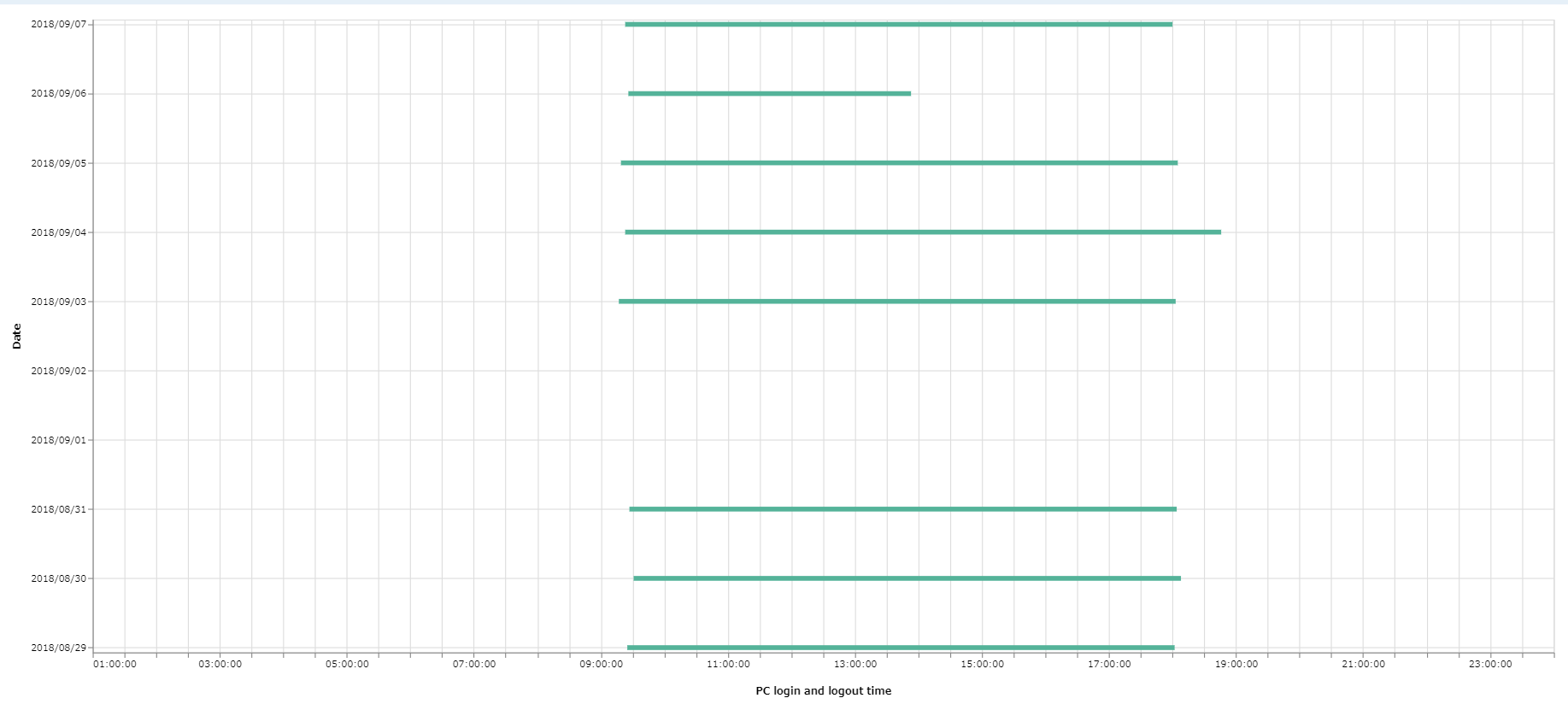
But the time of 24:00 is not able to show, I guess?
---
### Author:  [@Elvis\_Saravia](https://discuss.elastic.co/u/Elvis_Saravia)
#### Post date: [February 28, 2020, 9:22am UTC](https://discuss.elastic.co/t/how-can-i-set-x-axis-time-domain-with-24hours/221383/3 "2020-02-28T09:22:15Z")
Hi @m-amano,
Thanks for sharing the solution. If a question is not directly related to our training material, it may take our group a bit longer to respond. A tip for next time: you can try to post the question in the most relevant group, in this case, I think the Kibana group would have made more sense. Thank you. 🙂
---
### Author:  [@m-amano](https://discuss.elastic.co/u/m-amano)
#### Post date: [February 28, 2020, 9:36am UTC](https://discuss.elastic.co/t/how-can-i-set-x-axis-time-domain-with-24hours/221383/4 "2020-02-28T09:36:04Z")
@Elvis_Saravia
Thank you for your reply and tips for related group to post this type of question.
I would share my latest code again, because I could show 01:00 to 00:00 on x-axis.
`"format": "%H:%M:%S"` → `"format": "%H:%M"`
---
### Author:  [@dadoonet](https://discuss.elastic.co/u/dadoonet)
#### Post date: [February 28, 2020, 12:40pm UTC](https://discuss.elastic.co/t/how-can-i-set-x-axis-time-domain-with-24hours/221383/5 "2020-02-28T12:40:21Z")
I moved the question to #kibana
---
### Author:  [@system](https://discuss.elastic.co/u/system)
#### Post date: [March 29, 2020, 12:40pm UTC](https://discuss.elastic.co/t/how-can-i-set-x-axis-time-domain-with-24hours/221383/6 "2020-03-29T12:40:22Z")
This topic was automatically closed 30 days after the last reply. New replies are no longer allowed.