# How to find the ingest pipeline used to parse for Nginx logs
**URL:** https://discuss.elastic.co/t/how-to-find-the-ingest-pipeline-used-to-parse-for-nginx-logs/311263
**Category:** Kibana
**Tags:** ingest-pipeline
**Created:** [August 3, 2022, 7:03am UTC](https://discuss.elastic.co/t/how-to-find-the-ingest-pipeline-used-to-parse-for-nginx-logs/311263 "2022-08-03T07:03:45Z")
**Posts on this page:** 5
**Page:** 1
### Author:  [@Maduranga](https://discuss.elastic.co/u/Maduranga)
#### Post date: [August 3, 2022, 7:03am UTC](https://discuss.elastic.co/t/how-to-find-the-ingest-pipeline-used-to-parse-for-nginx-logs/311263/1 "2022-08-03T07:03:45Z")
Hi,
I am using Elastic cloud to send our Nginx logs using Filebeat Nginx module.
However, the Nginx log is not parsed and gives "`Provided Grok expressions do not match field value`" error.
The `event.original` field that contains the log is of JSON format. And I want to change the processor from Grok to JSON in the ingest pipeline.
However, I cannot figure out which ingest pipeline is used in Kibana to parse my Nginx logs.
How can I find out which pipeline is used and to change the pipeline? Is this something I can do in Kibana, or do I need change the configuration file?
This is my nginx.yml config:
```auto
- module: nginx
access:
enabled: true
input:
pipeline: filebeat-8.2.0-nginx-access-pipeline-custom
var.paths: ["/shared/log/access_nginx.log"]
error:
enabled: true
var.paths: ["/shared/log/error_nginx.log"]
```
Thank you.
---
### Author:  [@79g](https://discuss.elastic.co/u/79g)
#### Post date: [August 3, 2022, 11:00am UTC](https://discuss.elastic.co/t/how-to-find-the-ingest-pipeline-used-to-parse-for-nginx-logs/311263/2 "2022-08-03T11:00:26Z")
Hello,
you can see all the pipelines in Kibana --\> management page. Which Kibana version are you using? It depends a little of the version.
For example, in v8.3.2:

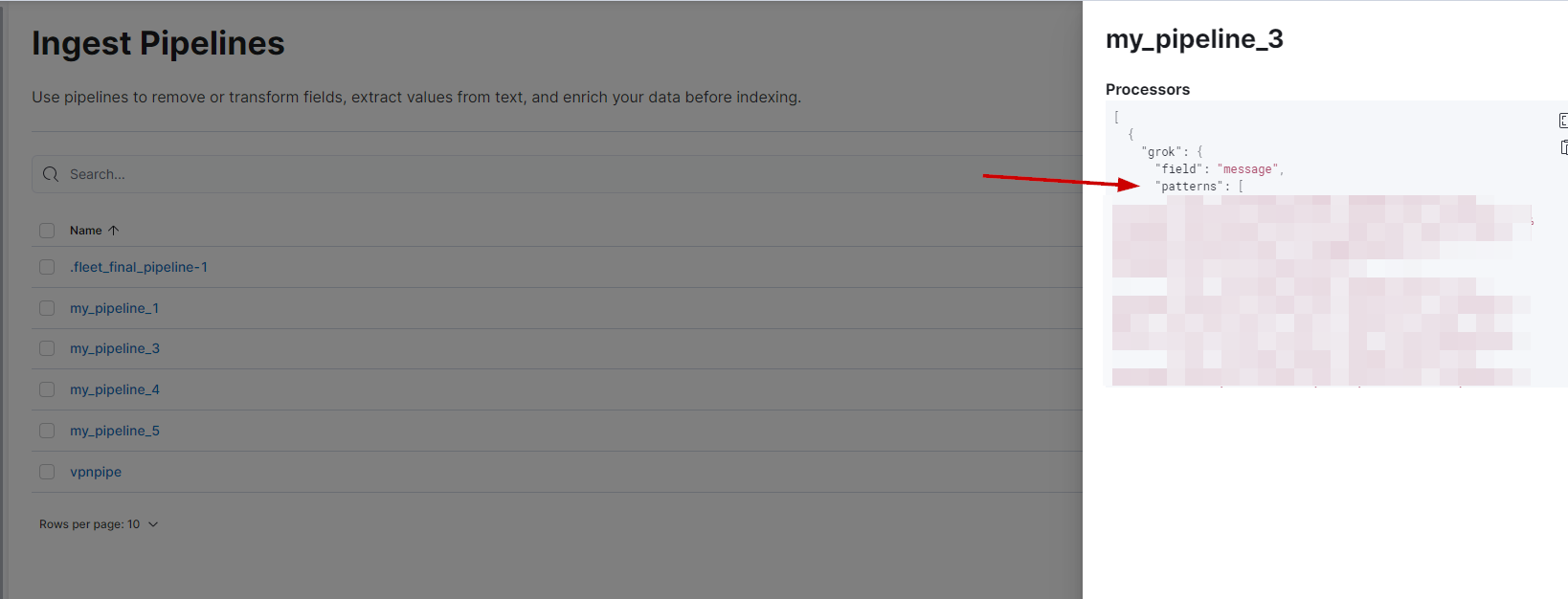
If you click the pipeline you'll see the patterns.
Hope it helps.
---
### Author:  [@Maduranga](https://discuss.elastic.co/u/Maduranga)
#### Post date: [August 4, 2022, 1:22am UTC](https://discuss.elastic.co/t/how-to-find-the-ingest-pipeline-used-to-parse-for-nginx-logs/311263/3 "2022-08-04T01:22:44Z")
Thanks a lot Daniel.
Yeap, found them.
---
### Author:  [@79g](https://discuss.elastic.co/u/79g)
#### Post date: [August 4, 2022, 8:26am UTC](https://discuss.elastic.co/t/how-to-find-the-ingest-pipeline-used-to-parse-for-nginx-logs/311263/4 "2022-08-04T08:26:43Z")
Nice!
If you mark my previous response as `solution` it will help other users also.
---
### Author:  [@system](https://discuss.elastic.co/u/system)
#### Post date: [September 1, 2022, 8:26am UTC](https://discuss.elastic.co/t/how-to-find-the-ingest-pipeline-used-to-parse-for-nginx-logs/311263/5 "2022-09-01T08:26:54Z")
This topic was automatically closed 28 days after the last reply. New replies are no longer allowed.