# \[Kibana\] Visualize / Heatmap / Filter Size & Label Display
**URL:** https://discuss.elastic.co/t/kibana-visualize-heatmap-filter-size-label-display/260947
**Category:** Kibana
**Created:** [January 13, 2021, 7:50am UTC](https://discuss.elastic.co/t/kibana-visualize-heatmap-filter-size-label-display/260947 "2021-01-13T07:50:34Z")
**Posts on this page:** 9
**Page:** 1
### Author:  [@Andreasau](https://discuss.elastic.co/u/Andreasau)
#### Post date: [January 13, 2021, 7:50am UTC](https://discuss.elastic.co/t/kibana-visualize-heatmap-filter-size-label-display/260947/1 "2021-01-13T07:50:34Z")
Hi all,
I created a Heatmap which y-axis (Product #) against x-axis (Store location)
and would like to apply a filter on y-axis which only included 15000 product #
However, when I apply the filter by json input or Elasticsearch Query DSL,
it returns with an error " The URL for this object is too long, and we can't display it".
Are there any way to fix it? Many thanks
Secondly, it would like to display other fields details in the label rather than just the
Store location, count & Product .
Are there any way to display those extra details in the label?
Thank you very much


---
### Author:  [@flash1293](https://discuss.elastic.co/u/flash1293)
#### Post date: [January 13, 2021, 10:59am UTC](https://discuss.elastic.co/t/kibana-visualize-heatmap-filter-size-label-display/260947/2 "2021-01-13T10:59:27Z")
The error message you posted lists two ways how to do this, did you try that? (especially the first option should be a good approach)
About the second question - this is not possible right now in Kibana.
---
### Author:  [@Andreasau](https://discuss.elastic.co/u/Andreasau)
#### Post date: [January 13, 2021, 11:26am UTC](https://discuss.elastic.co/t/kibana-visualize-heatmap-filter-size-label-display/260947/3 "2021-01-13T11:26:23Z")
Dear Joe,
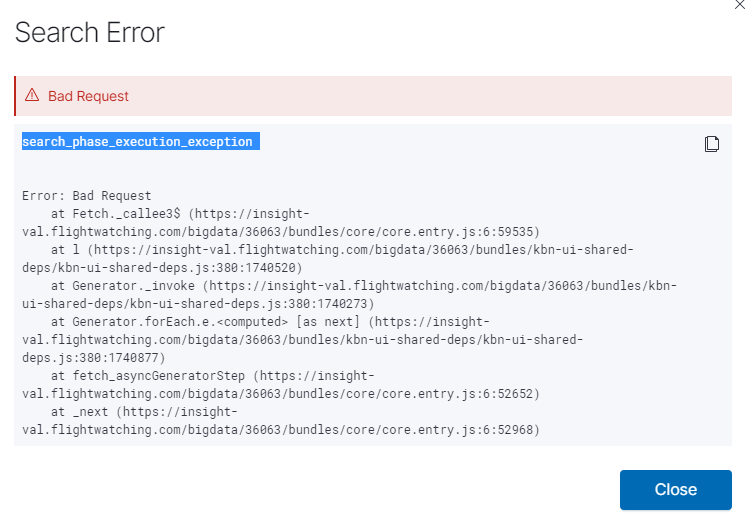
I did, but most of times it prompts the same error message while 1 out of 10,
it returns with an error message: "search\_phase\_execution\_exception"

Thank you for your help
---
### Author:  [@flash1293](https://discuss.elastic.co/u/flash1293)
#### Post date: [January 13, 2021, 12:13pm UTC](https://discuss.elastic.co/t/kibana-visualize-heatmap-filter-size-label-display/260947/4 "2021-01-13T12:13:35Z")
It might be necessary to clean the browser cache and open Kibana in a fresh window - otherwise it's possible the overly long URL stays around and the browser tries to navigate there again.
The search execution is a different problem, hinting at a problem with the query - maybe there's a typo in your json input? I would recommend trying to fix the URL problem before tackling this issue.
---
### Author:  [@Andreasau](https://discuss.elastic.co/u/Andreasau)
#### Post date: [January 14, 2021, 4:42am UTC](https://discuss.elastic.co/t/kibana-visualize-heatmap-filter-size-label-display/260947/5 "2021-01-14T04:42:29Z")
Thank you Joe,
I clean the browser cache and open Kibana in a fresh window, then long URL problem solved.
However, it then becomes search execution.
I can confirm there aren't any typo in my json input.
I try to trim down the filter to every 750items, it works fine. But when the filter items increased to more than 1000, then it returns with an error "search\_phase\_execution\_exception".
Thank you
sample of json input:
{
"query": {
"bool": {
"should": [
{"match\_phrase": {"REMOV\_PART":"4063-18167-1"}},
{"match\_phrase": {"REMOV\_PART":"4063-18139"}},
{"match\_phrase": {"REMOV\_PART":"VR4100-03"}},
{"match\_phrase": {"REMOV\_PART":"VR4100-04"}},
{"match\_phrase": {"REMOV\_PART":"AE1410BA1"}},
{"match\_phrase": {"REMOV\_PART":"1218-100"}},
{"match\_phrase": {"REMOV\_PART":"VD3820"}}
],
"minimum\_should\_match": 1
}
}
}
---
### Author:  [@flash1293](https://discuss.elastic.co/u/flash1293)
#### Post date: [January 14, 2021, 3:57pm UTC](https://discuss.elastic.co/t/kibana-visualize-heatmap-filter-size-label-display/260947/6 "2021-01-14T15:57:45Z")
Can you try to run the query against Elasticsearch directly from dev tools? This will give you the specific error message. I guess you are hitting some Elasticsearch limit that might be possible to increase via config setting, but I'm not sure which one
---
### Author:  [@Andreasau](https://discuss.elastic.co/u/Andreasau)
#### Post date: [January 14, 2021, 4:25pm UTC](https://discuss.elastic.co/t/kibana-visualize-heatmap-filter-size-label-display/260947/7 "2021-01-14T16:25:10Z")
Dear Joe,
It returns with the followings, many thanks:-
reason: {type: "query\_shard\_exception", reason: "failed to create query: maxClauseCount is set to 1024",…}
caused\_by: {type: "too\_many\_clauses", reason: "too\_many\_clauses: maxClauseCount is set to 1024"}
reason: "too\_many\_clauses: maxClauseCount is set to 1024"
type: "too\_many\_clauses"
index: "wilco\_\_insight-val\_\_standard\_\_v2"
index\_uuid: "qDWWRbMRTuiUn0NPOXtRSQ"
reason: "failed to create query: maxClauseCount is set to 1024"
type: "query\_shard\_exception"
shard: 0
grouped: true
phase: "fetch"
reason: ""
type: "search\_phase\_execution\_exception"
reason: "error while executing search"
type: "status\_exception"
error: "Bad Request"
message: "status\_exception"
statusCode: 400
---
### Author:  [@flash1293](https://discuss.elastic.co/u/flash1293)
#### Post date: [January 14, 2021, 4:27pm UTC](https://discuss.elastic.co/t/kibana-visualize-heatmap-filter-size-label-display/260947/8 "2021-01-14T16:27:15Z")
That's it - you should be able to bump it using `indices.query.bool.max_clause_count`: [https://www.elastic.co/guide/en/elasticsearch/reference/current/search-settings.html](https://www.elastic.co/guide/en/elasticsearch/reference/current/search-settings.html)
---
### Author:  [@system](https://discuss.elastic.co/u/system)
#### Post date: [February 11, 2021, 4:27pm UTC](https://discuss.elastic.co/t/kibana-visualize-heatmap-filter-size-label-display/260947/9 "2021-02-11T16:27:16Z")
This topic was automatically closed 28 days after the last reply. New replies are no longer allowed.