# Map - Filter by boundary, shape or line
**URL:** https://discuss.elastic.co/t/map-filter-by-boundary-shape-or-line/311682
**Category:** Kibana
**Created:** [August 9, 2022, 1:14am UTC](https://discuss.elastic.co/t/map-filter-by-boundary-shape-or-line/311682 "2022-08-09T01:14:10Z")
**Posts on this page:** 4
**Page:** 1
### Author:  [@Matt.Wash](https://discuss.elastic.co/u/Matt.Wash)
#### Post date: [August 9, 2022, 1:14am UTC](https://discuss.elastic.co/t/map-filter-by-boundary-shape-or-line/311682/1 "2022-08-09T01:14:10Z")
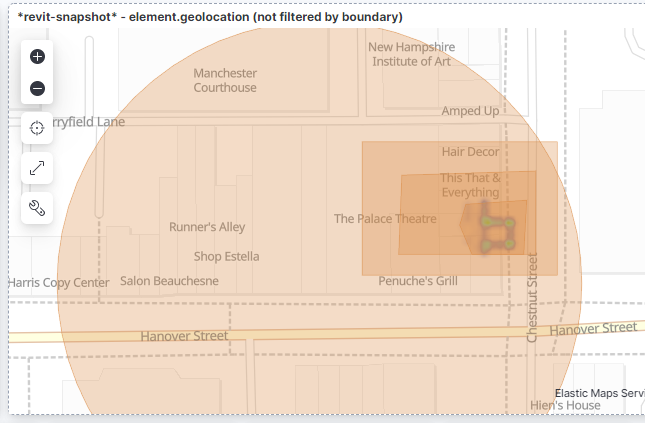
creating the filter for heat map geolocation is awesome, but how do i delete a filtered area?
There doesn't appear to have the the same UI as noted below.
I am running 8.3.3

Any ideas?
Cheers,
Matt
---
### Author:  [@Nathan\_Reese](https://discuss.elastic.co/u/Nathan_Reese)
#### Post date: [August 9, 2022, 2:30pm UTC](https://discuss.elastic.co/t/map-filter-by-boundary-shape-or-line/311682/2 "2022-08-09T14:30:36Z")
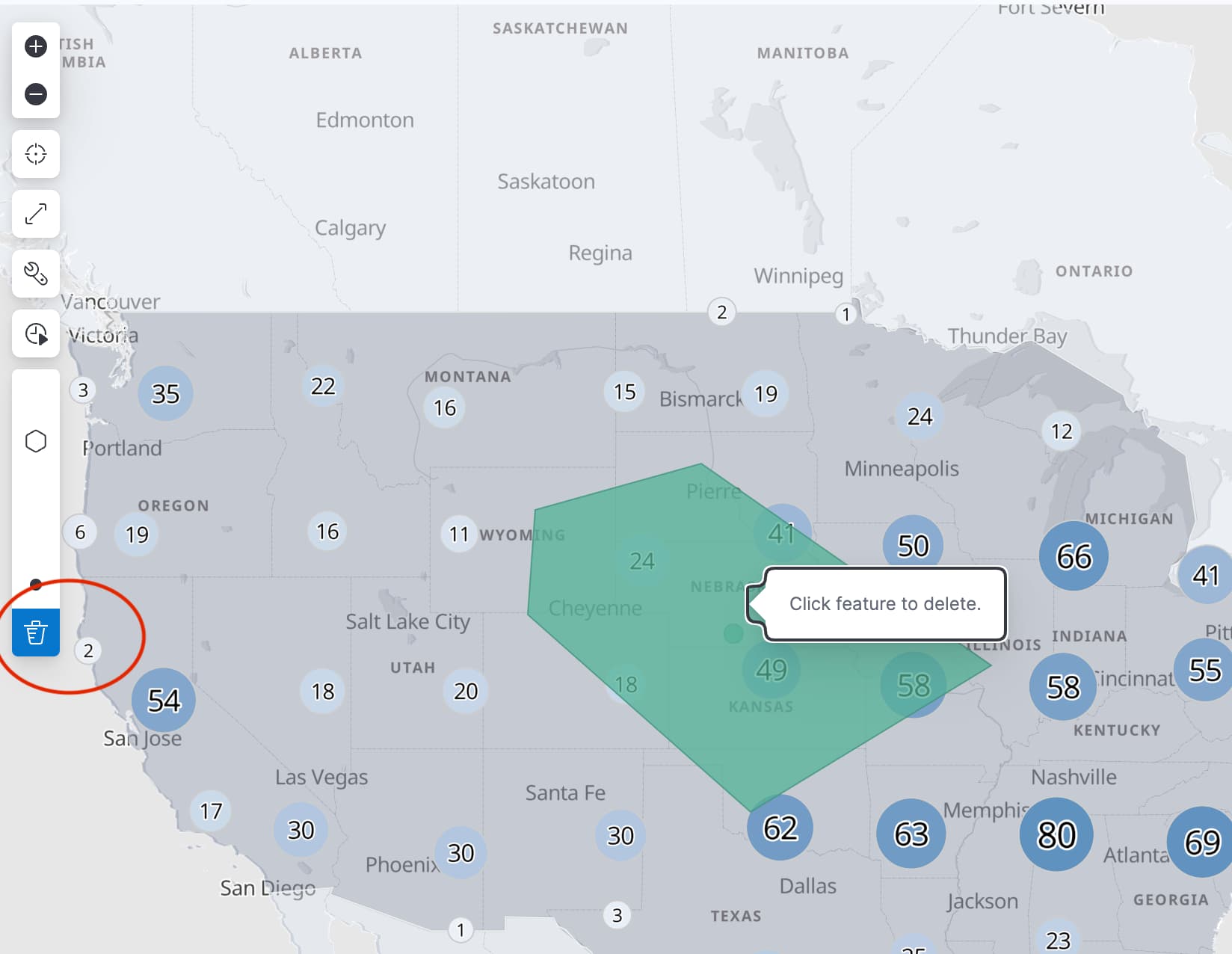
Your screen shots are showing 2 different draw modes.
The first shows [drawing features on map to create spatial filters](https://www.elastic.co/guide/en/kibana/current/maps-create-filter-from-map.html#maps-spatial-filters)
The second shows [drawing features on map to index into Elasticsearch](https://www.elastic.co/guide/en/kibana/current/import-geospatial-data.html#_draw_features_in_a_map)
These 2 draw modes result in different results.
Drawing features to create filters adds a filter pill to the search bar. To remove the filter pill, click the "x"

Drawing features on map to index into Elasticsearch adds a new document in Elasticsearch. To remove the feature, click the "trash can" icon in the draw tools and then click the feature you wish to delete.
---
### Author:  [@Matt.Wash](https://discuss.elastic.co/u/Matt.Wash)
#### Post date: [August 10, 2022, 9:35pm UTC](https://discuss.elastic.co/t/map-filter-by-boundary-shape-or-line/311682/3 "2022-08-10T21:35:32Z")
thanks @Nathan_Reese I come from a CAD/BIM background, so was looking for a way to delete the boundary polygon by selecting it. I didn't realise it added a filter to the top of the screen. Thanks for clarifying.
---
### Author:  [@system](https://discuss.elastic.co/u/system)
#### Post date: [September 7, 2022, 9:36pm UTC](https://discuss.elastic.co/t/map-filter-by-boundary-shape-or-line/311682/4 "2022-09-07T21:36:06Z")
This topic was automatically closed 28 days after the last reply. New replies are no longer allowed.