# Setting Alerting configuration on Kibana 7.9
**URL:** https://discuss.elastic.co/t/setting-alerting-configuration-on-kibana-7-9/250530
**Category:** Kibana
**Tags:** elastic-stack-alerting
**Created:** [September 30, 2020, 3:07pm UTC](https://discuss.elastic.co/t/setting-alerting-configuration-on-kibana-7-9/250530 "2020-09-30T15:07:14Z")
**Posts on this page:** 13
**Page:** 1
### Author:  [@ushma.shah](https://discuss.elastic.co/u/ushma.shah)
#### Post date: [September 30, 2020, 3:07pm UTC](https://discuss.elastic.co/t/setting-alerting-configuration-on-kibana-7-9/250530/1 "2020-09-30T15:07:15Z")
I am using basic license for elastic search with on-premises deployment without security. I want to get started with Alerting and Actions in Kibana 7.9.
I have set `xpack.encryptedSavedObjects.encryptionKey` value as per documentation [here](https://www.elastic.co/guide/en/kibana/7.9/alert-action-settings-kb.html#general-alert-action-settings)
I restarted kibana after adding encrytionKey in kibana.yml file.
Still I am getting the same error as “You must set an encryption key”

Any leads will be appreciated. I am learning kibana. Thanks.
---
### Author:  [@rashmi](https://discuss.elastic.co/u/rashmi)
#### Post date: [September 30, 2020, 3:12pm UTC](https://discuss.elastic.co/t/setting-alerting-configuration-on-kibana-7-9/250530/2 "2020-09-30T15:12:23Z")
> [@ushma.shah](#):
>
> xpack.encryptedSavedObjects.encryptionKey
Can you try it in an incognito window to see if it works ( shouldn't matter but just checking)
Also what do the logs say ? Can you double check the encryption key is set properly in the kibana.yml and you have restarted the service ?
Thanks
Rashmi
---
### Author:  [@ushma.shah](https://discuss.elastic.co/u/ushma.shah)
#### Post date: [September 30, 2020, 3:36pm UTC](https://discuss.elastic.co/t/setting-alerting-configuration-on-kibana-7-9/250530/3 "2020-09-30T15:36:13Z")
Hey Rashmi,
Thanks for the quick response.
I tried incognito- it is still the same.
I restarted kibana once again and confirmed the encryption key is there but it is the same error I am getting.
not sure how to check logs for alerting configuration ?
---
### Author:  [@rashmi](https://discuss.elastic.co/u/rashmi)
#### Post date: [September 30, 2020, 4:24pm UTC](https://discuss.elastic.co/t/setting-alerting-configuration-on-kibana-7-9/250530/4 "2020-09-30T16:24:59Z")
are there more nodes in the cluster- if so the configuration needs to be in each node. Kibana logs - the default log file location depends on the package. Which package format did you use to install Kibana (deb, rpm, tgz)?
For SysV stdout and stderr of Kibana would be written to `/var/log/kibana.{stdout,stderr}` . Changing `logging.dest` to something besides `stdout` will cause these files to be empty. One thing to keep in mind is that the Kibana process needs to have write access to these files or the file configured in `logging.dest` . The default init script should take care of that.
---
### Author:  [@ushma.shah](https://discuss.elastic.co/u/ushma.shah)
#### Post date: [September 30, 2020, 5:44pm UTC](https://discuss.elastic.co/t/setting-alerting-configuration-on-kibana-7-9/250530/5 "2020-09-30T17:44:34Z")
Hi Rashmi,
One thing I just noticed is after restarting kibana , it literally crashed and I needed to revert kibana.yml changes regarding encryption key and it started working again.
I am using **on-premises Elastic stack deployment _without_ Security** licensing (basically Basic License without security)
Could you please confirm whether Kibana Alerting works with the Basic license without security enabled ?

If it is supported, Is there any other place do I need to change settings in order to start alerting ?
---
### Author:  [@warkolm](https://discuss.elastic.co/u/warkolm)
#### Post date: [September 30, 2020, 11:44pm UTC](https://discuss.elastic.co/t/setting-alerting-configuration-on-kibana-7-9/250530/6 "2020-09-30T23:44:40Z")
What do your actual Kibana logs show?
---
### Author:  [@ushma.shah](https://discuss.elastic.co/u/ushma.shah)
#### Post date: [October 1, 2020, 4:04pm UTC](https://discuss.elastic.co/t/setting-alerting-configuration-on-kibana-7-9/250530/7 "2020-10-01T16:04:37Z")
Hey Mark,
I have installed kibana on windows 10 using .zip folder suggested at - [https://www.elastic.co/guide/en/kibana/current/windows.html](https://www.elastic.co/guide/en/kibana/current/windows.html)
Sorry but I am a newbee at kibana and doesn't know where to see kibana logs ?
Could you please guide me where to find kibana logs in windows ?
below is my kibana.yml

---
### Author:  [@rashmi](https://discuss.elastic.co/u/rashmi)
#### Post date: [October 1, 2020, 7:22pm UTC](https://discuss.elastic.co/t/setting-alerting-configuration-on-kibana-7-9/250530/8 "2020-10-01T19:22:12Z")
@Patrick_Mueller can you shed some light here?
Kibana alerting _is_ included with our Basic license. Please refer to the [docs](https://www.elastic.co/guide/en/kibana/current/alerting-getting-started.html) or [configuration page](https://www.elastic.co/guide/en/kibana/current/alert-action-settings-kb.html) for more information on alerting.
It appears the Basic license **only** includes the _in-stack_ actions per the subscription page.
[](https://user-images.githubusercontent.com/19007109/82480252-20d93100-9a99-11ea-8e53-09e859f1353e.png)
In-stack actions include [index](https://www.elastic.co/guide/en/elasticsearch/reference/current/actions-index.html) and [logging](https://www.elastic.co/guide/en/elasticsearch/reference/master/actions-logging.html). External actions including [email](https://www.elastic.co/guide/en/elasticsearch/reference/current/actions-email.html), [PagerDuty](https://www.elastic.co/guide/en/elasticsearch/reference/current/actions-pagerduty.html), [Slack](https://www.elastic.co/guide/en/elasticsearch/reference/current/actions-slack.html) and [webhooks](https://www.elastic.co/guide/en/elasticsearch/reference/current/actions-webhook.html) would require a **Gold** license or higher.
---
### Author:  [@ushma.shah](https://discuss.elastic.co/u/ushma.shah)
#### Post date: [October 1, 2020, 7:32pm UTC](https://discuss.elastic.co/t/setting-alerting-configuration-on-kibana-7-9/250530/9 "2020-10-01T19:32:12Z")
Hi Rashmi, thanks for your reply.
Yes in-stack actions is what we need as of now. But the real struggle is to get going with Alerts and Actions page in kibana where I am stuck.
---
### Author:  [@Patrick\_Mueller](https://discuss.elastic.co/u/Patrick_Mueller)
#### Post date: [October 1, 2020, 9:12pm UTC](https://discuss.elastic.co/t/setting-alerting-configuration-on-kibana-7-9/250530/10 "2020-10-01T21:12:41Z")
Yes, alerting should work without security. It sounds like the encryption key is not being set; we'll need to see the log messages from kibana. Given the message you see in the browser, I'd expect you'll see the following message in the logs:
```auto
APIs are disabled due to the Encrypted Saved Objects plugin using an ephemeral encryption key.
Please set xpack.encryptedSavedObjects.encryptionKey in kibana.yml.
```
Can you paste the line in your `kibana.yml` with the `xpack.encryptedSavedObjects.encryptionKey` setting? You can replace the values in the key with X's if you want.
One note - the documentation notes the key should be 32 characters or longer. I'm not sure what happens if it's shorter, but it certainly won't used, and I would expect a separate log message about that.
---
### Author:  [@ushma.shah](https://discuss.elastic.co/u/ushma.shah)
#### Post date: [October 2, 2020, 2:12pm UTC](https://discuss.elastic.co/t/setting-alerting-configuration-on-kibana-7-9/250530/11 "2020-10-02T14:12:11Z")
Hi @Patrick_Mueller,
I added below line in `kibana.yml`.

Restarted `elasticsearch` and `kibana` both and kibana stopped working. I see below screen on my `localhost:5601`

Elasticsearch is up and running at - `http://localhost:9200/` but kibana stopped.
I reverted encryptionKey value and kibana started working. Not sure what's going on.
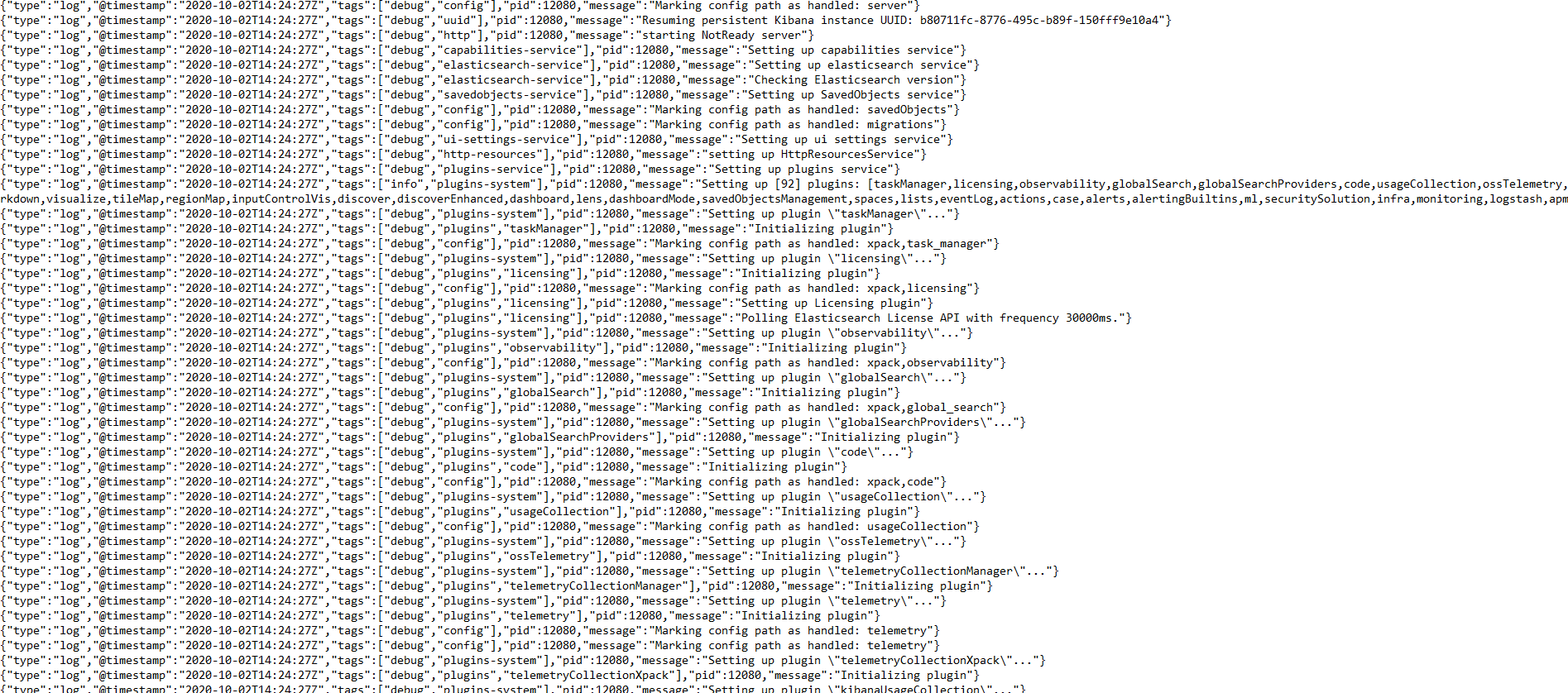
Logs are as below:


---
### Author:  [@ushma.shah](https://discuss.elastic.co/u/ushma.shah)
#### Post date: [October 2, 2020, 2:53pm UTC](https://discuss.elastic.co/t/setting-alerting-configuration-on-kibana-7-9/250530/12 "2020-10-02T14:53:38Z")
Hi @Patrick_Mueller,
Sorry for troubling.
At first I restarted kibana from bat file directly - `C:\kibana-7.9.2\bin\kibana.bat`
and kibana stopped working.
Then I tried calling it from cmd directly.

and it started working. Now I am able to create Alert 🙂

Thanks for the help.
---
### Author:  [@system](https://discuss.elastic.co/u/system)
#### Post date: [October 30, 2020, 2:53pm UTC](https://discuss.elastic.co/t/setting-alerting-configuration-on-kibana-7-9/250530/13 "2020-10-30T14:53:39Z")
This topic was automatically closed 28 days after the last reply. New replies are no longer allowed.