# Usage of Lens in Dashboard
**URL:** https://discuss.elastic.co/t/usage-of-lens-in-dashboard/287868
**Category:** Kibana
**Tags:** lens
**Created:** [October 28, 2021, 4:10am UTC](https://discuss.elastic.co/t/usage-of-lens-in-dashboard/287868 "2021-10-28T04:10:28Z")
**Posts on this page:** 5
**Page:** 1
### Author:  [@RAM\_NATHAN](https://discuss.elastic.co/u/RAM_NATHAN)
#### Post date: [October 28, 2021, 4:10am UTC](https://discuss.elastic.co/t/usage-of-lens-in-dashboard/287868/1 "2021-10-28T04:10:28Z")
Hi
Im trying to use Lens visualization. I have two views as metric and bar chart as below

When I add this to dashboard, Im able to see only one of the two
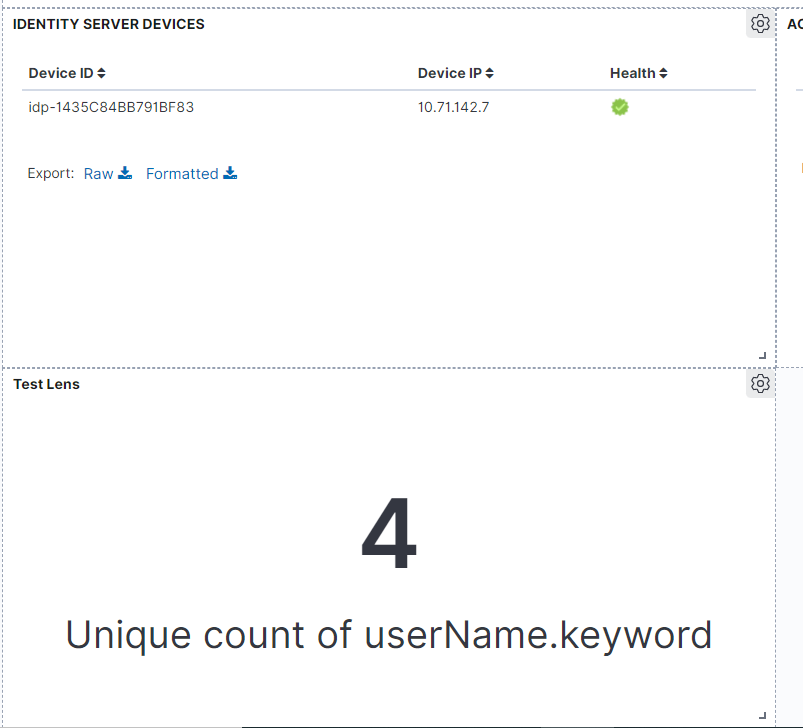
So how to use other graph (bar chart). I dont see a way to change the view from dashboard itself. I need to edit visualization chnage this to bar chart and then save it as below

Similarly for time series graphs also, I have mutiple views like data table. But Im able to see only one of them in dashboard

Can I switch the view from dashboard itself, instead of going inside and changing the visualization?
---
### Author:  [@Marco\_Liberati](https://discuss.elastic.co/u/Marco_Liberati)
#### Post date: [October 28, 2021, 9:25am UTC](https://discuss.elastic.co/t/usage-of-lens-in-dashboard/287868/2 "2021-10-28T09:25:57Z")
Hi @RAM_NATHAN
In your first screenshot I can see one chart (metric one) with 2 suggestions: do you want to show all the visualizations in the suggestion list on your dashboard?
If that is the case, there's a simple thing you can do:
- Clone the metric Lens visualization (in Edit mode click the cog icon on the top right of the panel, then "Clone")
- Open the cloned visualization in Lens (still cog icon =\> Open in Lens)
- click on the suggested chart on the suggestion list (the bar chart one)
- now click "Save and return"
---
### Author:  [@RAM\_NATHAN](https://discuss.elastic.co/u/RAM_NATHAN)
#### Post date: [October 28, 2021, 9:49am UTC](https://discuss.elastic.co/t/usage-of-lens-in-dashboard/287868/3 "2021-10-28T09:49:19Z")
Means, I have to create 2 visualizations one for Metric Text, other for bar chart and add both separately to dashboard.
I guess same approach i need to follow for time series multiple views
Correct?
---
### Author:  [@Marco\_Liberati](https://discuss.elastic.co/u/Marco_Liberati)
#### Post date: [October 28, 2021, 11:01am UTC](https://discuss.elastic.co/t/usage-of-lens-in-dashboard/287868/4 "2021-10-28T11:01:42Z")
Correct.
With the cloning step you can speed up a bit the data configuration, but then a minimum editing for the final tweak (chart type or else) is required.
---
### Author:  [@system](https://discuss.elastic.co/u/system)
#### Post date: [November 25, 2021, 11:01am UTC](https://discuss.elastic.co/t/usage-of-lens-in-dashboard/287868/5 "2021-11-25T11:01:44Z")
This topic was automatically closed 28 days after the last reply. New replies are no longer allowed.