# Vega lite visualization
**URL:** https://discuss.elastic.co/t/vega-lite-visualization/252173
**Category:** Kibana
**Created:** [October 15, 2020, 10:34am UTC](https://discuss.elastic.co/t/vega-lite-visualization/252173 "2020-10-15T10:34:27Z")
**Posts on this page:** 3
**Page:** 1
### Author:  [@hiba](https://discuss.elastic.co/u/hiba)
#### Post date: [October 15, 2020, 10:34am UTC](https://discuss.elastic.co/t/vega-lite-visualization/252173/1 "2020-10-15T10:34:27Z")
Hi Team,
i'm very new to vega visualization i try to make a visualization like this

i have a simple script like this :
```auto
{
$schema: https://vega.github.io/schema/vega-lite/v2.json
data: {
# URL object is a context-aware query to Elasticsearch
url: {
# The %-enclosed keys are handled by Kibana to modify the query
# before it gets sent to Elasticsearch. Context is the search
# filter as shown above the dashboard. Timefield uses the value
# of the time picker from the upper right corner.
%context%: true
%timefield%: @timestamp
index: distributor
body: {
size: 1000
_source: [
type
]
}
}
# We only need the content of hits.hits array
format: {
property: hits.hits
}
}
transform: [
{
type: formula
expr: data('values').count
as: count
}
]
mark: circle
encoding: {
x: {
field: _source.type
type: nominal
axis: {
title: Distributor}}
y: {
field: count
type: quantitative
axis: {
title: number}}
color: {
field: _source.type
type: nominal
legend: {
title: Distributor type
}
}
shape: {
field: _source.type
type: nominal
}
}
}
}
}
}
}
```
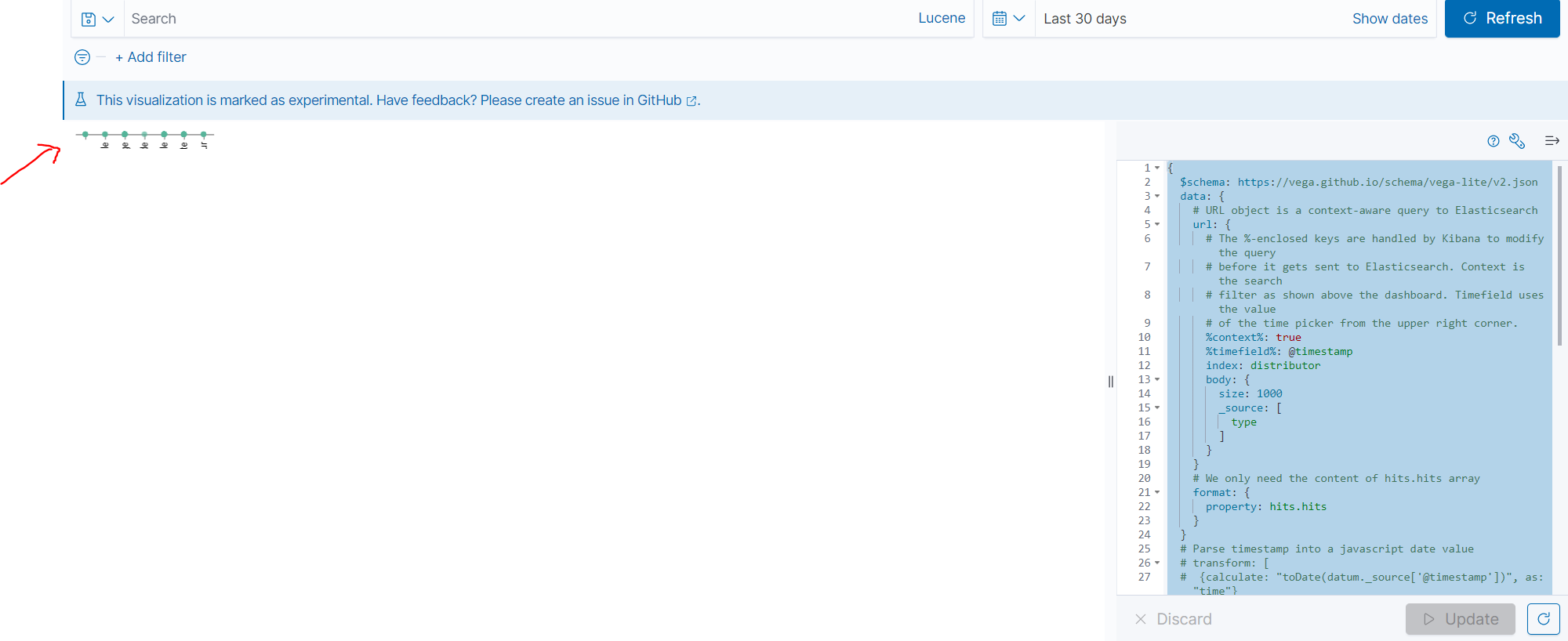
any help please !
---
### Author:  [@wylie](https://discuss.elastic.co/u/wylie)
#### Post date: [October 15, 2020, 2:27pm UTC](https://discuss.elastic.co/t/vega-lite-visualization/252173/2 "2020-10-15T14:27:30Z")
For general advice I've written some new [vega tutorials and reference docs](https://www.elastic.co/guide/en/kibana/current/vega-lite-tutorial.html) for Kibana which were written for 7.9.0 and later, but you can adapt the concepts there to older versions as well.
You appear to be using `_source` instead of using Elasticsearch aggregations. Please try the tutorial I wrote to use aggregations.
For specific advice, the `transform` block that you've written doesn't look like a valid Vega-lite [calculation](https://vega.github.io/vega-lite/docs/calculate.html).
If you want more help, the best option for you is to use the browser console to inspect `VEGA_DEBUG.vegalite_spec` and to share that (only a few docs are needed, please change the size to 1 or 2)
---
### Author:  [@system](https://discuss.elastic.co/u/system)
#### Post date: [November 12, 2020, 2:27pm UTC](https://discuss.elastic.co/t/vega-lite-visualization/252173/3 "2020-11-12T14:27:33Z")
This topic was automatically closed 28 days after the last reply. New replies are no longer allowed.