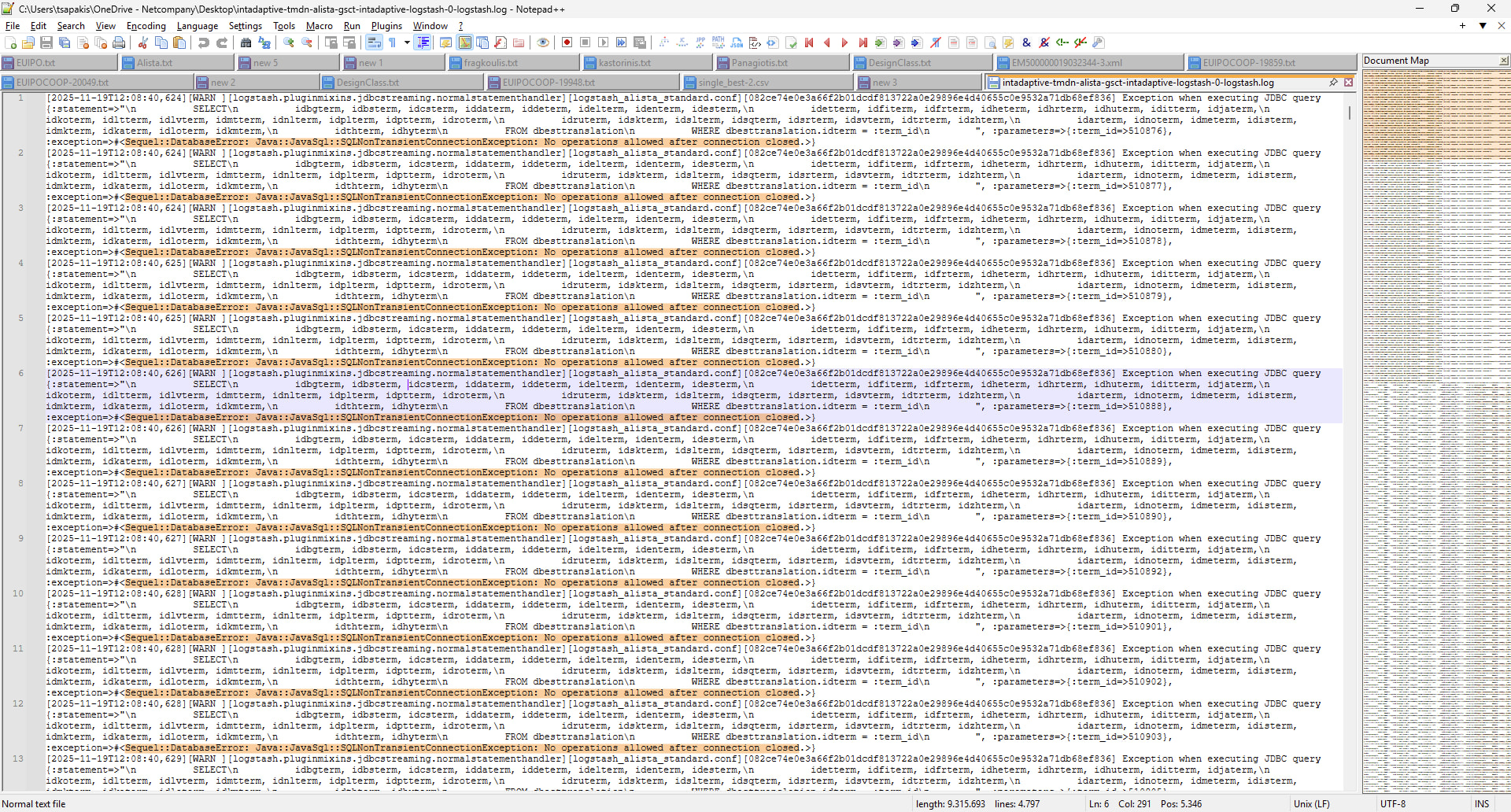
We are facing a critical issue with our Logstash indexing pipeline during the filtering phase, which executes some very heavy queries on our application DB.
Our business application is executing constant write operations on the DB and is triggering a Solr server to index constantly. This goes on for several hours.
The issue occurs when the Logstash pipeline kicks in while that process is active, and its filtering queries try to connect to the DB too.
We immediately see numerous WARN messages containing errors like: "Sequel::DatabaseError: Java::JavaSql::SQLNonTransientConnectionException: No operations allowed after connection closed.":
The problem is only resolved by restarting Logstash, otherwise it keeps throwing those errors forever. Once restarted, it seems to operate smoothly.
Can you please think of a reason for this phenomenon and possibly a solution? We have tried with increasing timeouts, introducing paging, downgrading the JDBC driver, but nothing has helped.
Our present stack is:
Logstash 8.5.1 with JDBC driver: mysql-connector-j-8.1.0.jar
MySQL/Percona Server (GPL), Release 25, Revision 60c9e2c5
So far, the only workaround that we found is to stop Logstash until the other process is done with the DB and then start it.
It’s puzzling how Logstash is able to overcome these connection errors once restarted. It’s as if something is reinitialising and works well from then on. But it doesn’t make sence, as the pipelines do not keep any state or connections between runs. Maybe Logstash itself maintains something but we can’t figure out what.
Apache, Apache Lucene, Apache Hadoop, Hadoop, HDFS and the yellow elephant
logo are trademarks of the
Apache Software Foundation
in the United States and/or other countries.