Basically user A should be able to see only their own orders, no one elses.
So there is an account_id filter added in documents query in its user role section as I pasted above - similarly for each other user.
Now when I login with that user in my site and go to see the Kibana Dashboard and try to add filters - when selecting for example Program Name as a filter, it shows a dropdown in each the suggested Program Names should show.
But I think due to the account_id restriction, it fetches nothing. and if I, let’s say, login from a user with no such restrictions, the dropdown does fetch values
Without any restrictions - it shows values in dropdown but can’t add 2 image embed
I wanted to know if there was any workaround method, so the autosuggestions and values can still be fetched and shown in the filter in my Kibana Dashboard embed.
I see that the issue reported by you is at the Dataview level where i also observe the same behavior. With user elastic, the filters can be applied at dataview level but for individual user if we login the filters do not give as auto-complete :
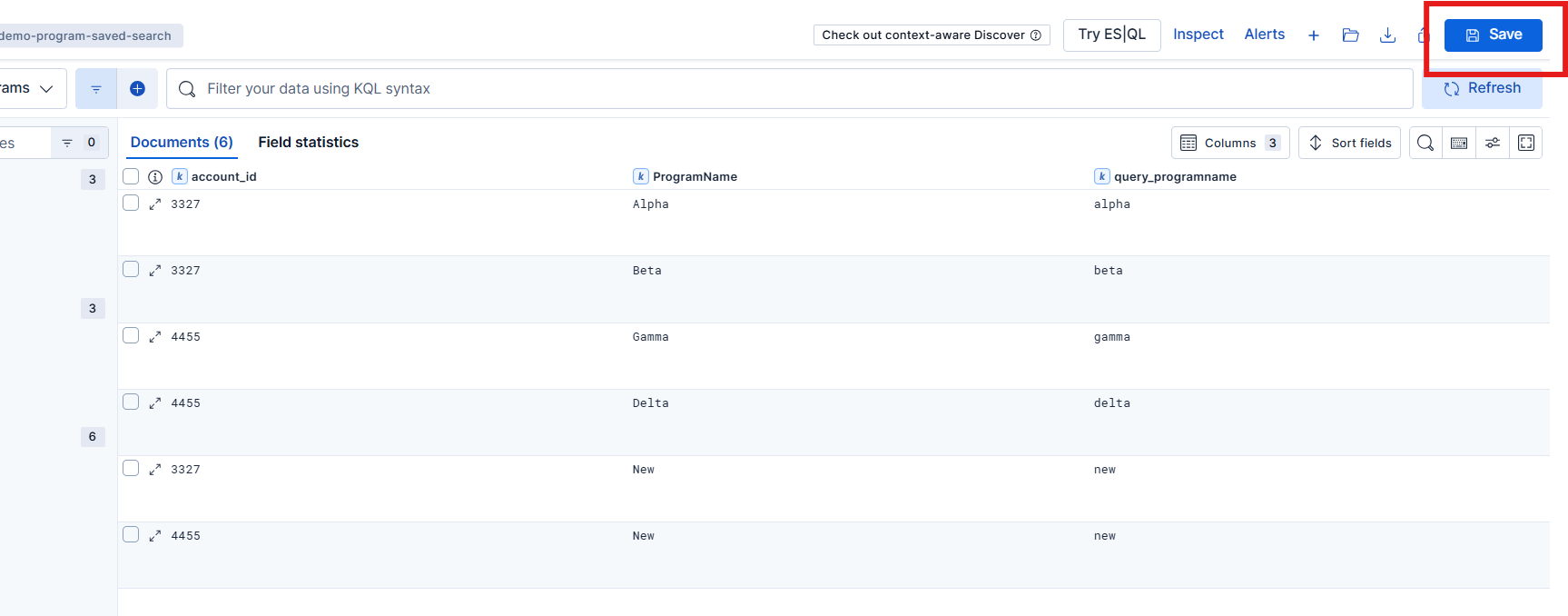
You create a saved search from the Discover of the fields interested.
put this saved search on the dashboard as shown below, now filter on the ProgramName or any other fields you need :
If you still want to have this autosuggestion at discover level you might need to create seperate indexes as per account & create roles without query filter but this might not be feasible as it will increase count of indices/role.
Apache, Apache Lucene, Apache Hadoop, Hadoop, HDFS and the yellow elephant
logo are trademarks of the
Apache Software Foundation
in the United States and/or other countries.