Hi @eliumoraes Welcome to the community and thanks for Trying Elastic Cloud on Azure.
You can reconfigure your deployment by Scaling Vertically or Adding More nodes or Both from the Elastic Cloud Console
There are a few constraints though.
-
If you are in a single zone... must scale to the maximum node size before you will get multiple nodes. In General that is 60GB of RAM.
-
If you add a zone it will add the same size node(s) to the additional zone.
-
Rule 1 Applies for multiple zones as well you need to scale vertically first and additional nodes of the 60 GB will be added.
If you go to the Deployments Edit Screen you can see this.
1 x 8GB Hot x 1 Zone

1 x 8GB x 2 Zones :
Note 2+ zone is often referred to high availability configuration and a Primary and Replica Shard will never be on the same node so it does suit that purpose, but you can also think of it as just a 2nd / additional node.. it will function just like and additional node it is just in a 2nd zone.
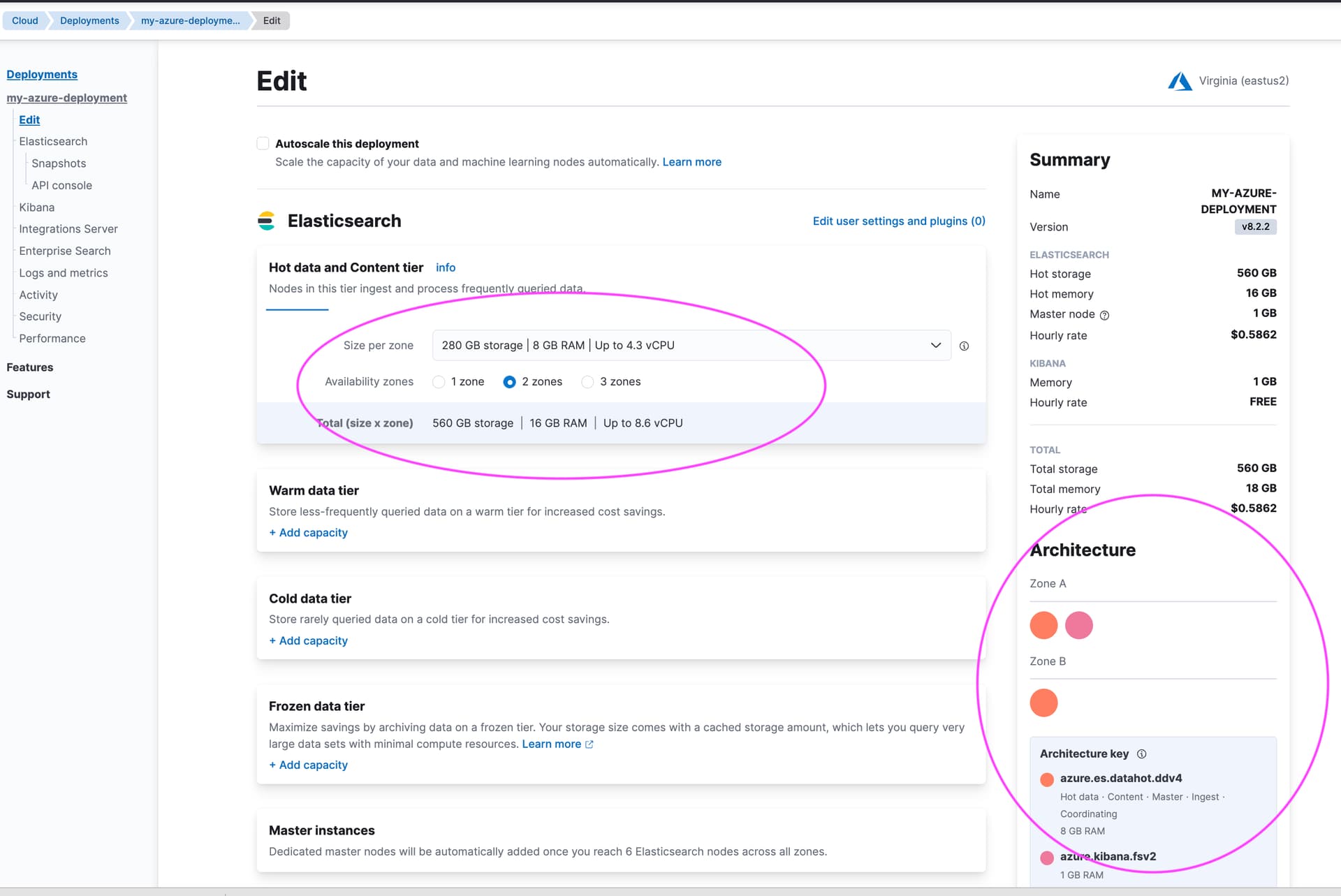
2 x 60GB x 20 Zones = 120GB x 2 Zones

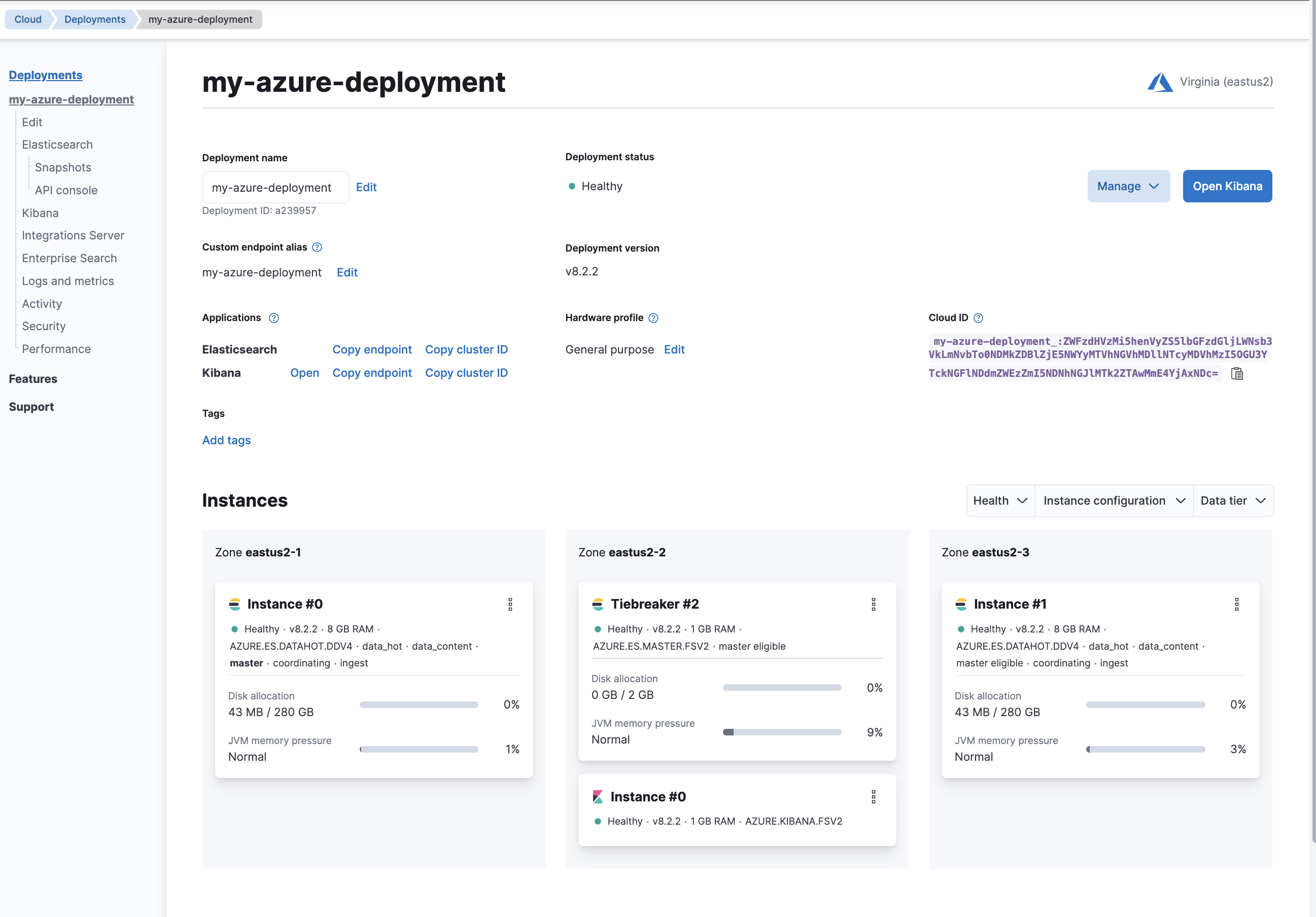
You Can also see this in the Deployments Overview View
Hope this helps! Let us Know.