Thanks Garrett
I think that error is because the template field isn't working so its trying to include the source.ip value in the filter but its broken so when put together, the entire filter query is broken.
That aside, I think you have the same state as me - it looks correct in the Timelines view but when an alert fires that utilises that Timeline template, the timeline doesn't apply correctly and misses out the columns.
I must stress I am heading out of my skill area here but potentially some useful information...
If I click the timeline button on an alert which uses this timeline template with the Google Chrome Dev window running I see the following :
-
I can see a request in the HTTP headers for the timeline template reporting a template ID of 2829c772-fe8e-470c-bac4-7b960ac797a1. This matches the ID of the timeline I have created so this looks good. Request URL is
https://soc-elastic.comm.ad.roke.co.uk:5601/api/timeline?template_timeline_id=2829c772-fe8e-470c-bac4-7b960ac797a1 -
The response also looks sensible, shows HTTP 200 OK and the response includes the correct fields (I have cut some off this response as it was long but you can see the Bytes sent column being referenced at the end of this code);
{"data":{"getOneTimeline":{"savedObjectId":"c548bf70-b654-11ec-8a31-7ba9a7f2f52c","version":"WzE5MjE4NSwyXQ==","columns":[{"columnHeaderType":"not-filtered","id":"@timestamp","type":"number"},{"columnHeaderType":"not-filtered","id":"event.action"},{"aggregatable":true,"description":"Short name or login of the user.","columnHeaderType":"not-filtered","id":"source.user.name","category":"source","type":"string","example":"a.einstein"},{"columnHeaderType":"not-filtered","id":"source.ip"},{"aggregatable":true,"description":"Bytes sent from the source to the destination."...
The preview field also confirms the fields in the response so up to this stage, all seems to work perfectly.

Looking at the screenshot below, all of the above data taken from the data at the request circled in red. Going down to the request circled in blue and the fields are back to the wrong ones. Presumably this is the request that is actually presented to me.
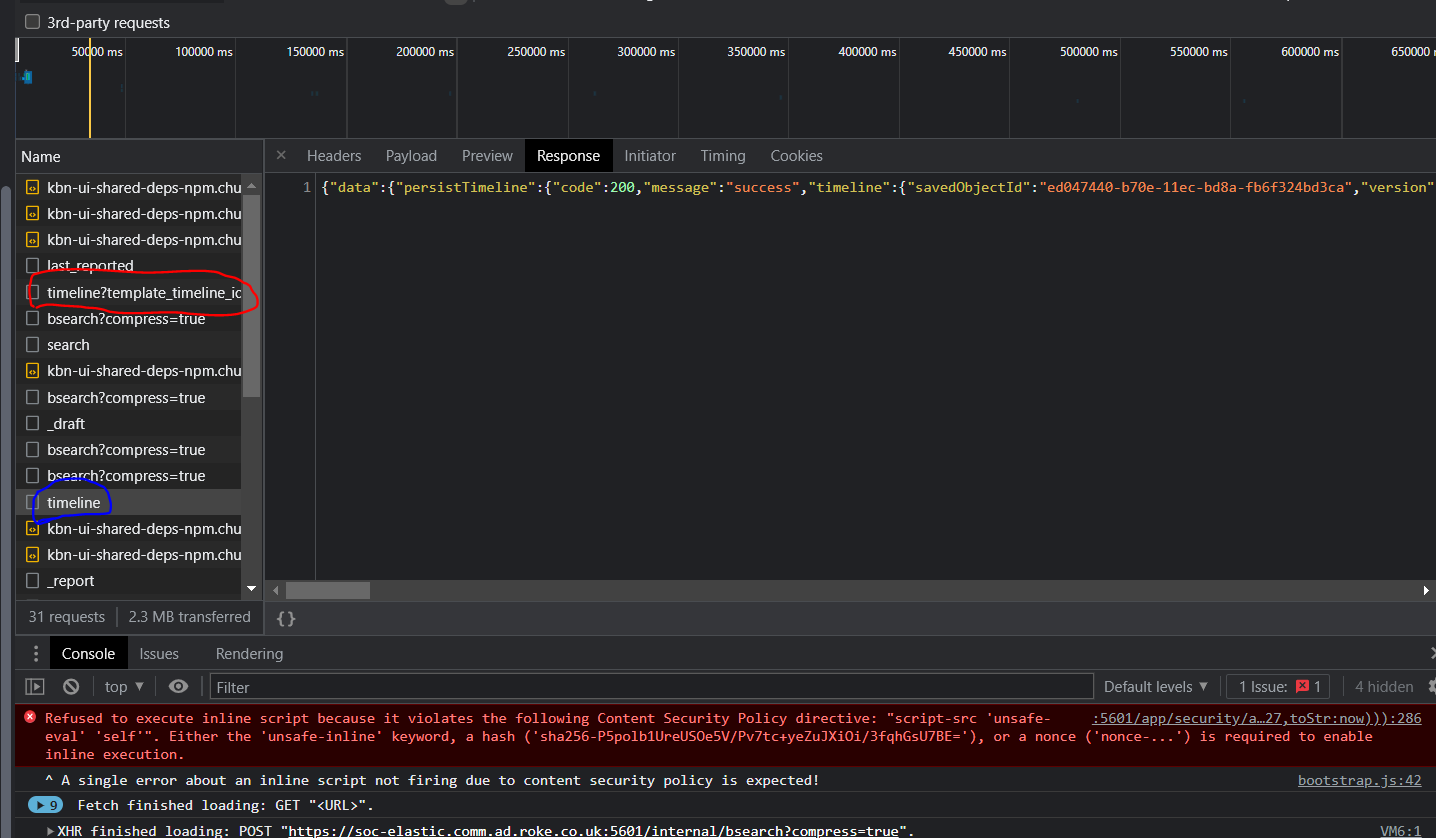
I don't know if this helps but hopefully it does. If I can gather any more data or logs please let me know
Thanks
Phil